Four ways to use SFP+ optical modules with switches
2024-10-17
Optical modules and switches are indispensable in enterprise network deployment and data center construction. The optical module is mainly used to convert the electrical signal to the optical signal, and the switch is to forward the optical signal. Among many optical modules, the SFP+ optical module is one of the most widely used optical modules at present, and different connection modes can be used with the switch to achieve different network requirements.
一、How to use SFP+ optical modules with switches?
Different types of optical modules and switches can be used in different networking schemes. The following describes the actual application schemes of SFP+ optical modules and switches.
Solution 1: Connection between 10G SFP+ 10Gbps fiber modules and switches.
Insert four 10G SFP+ optical modules into 10-Gbps SFP+ ports on one switch, and then a 40G QSFP+ optical module into 40-Gbps QSFP+ ports on another switch, and connect them with a branch optical fiber jumper.
This connection mode mainly realizes the expansion of the network from 10G to 40G, which can quickly and easily meet the network upgrade requirements of the data center.

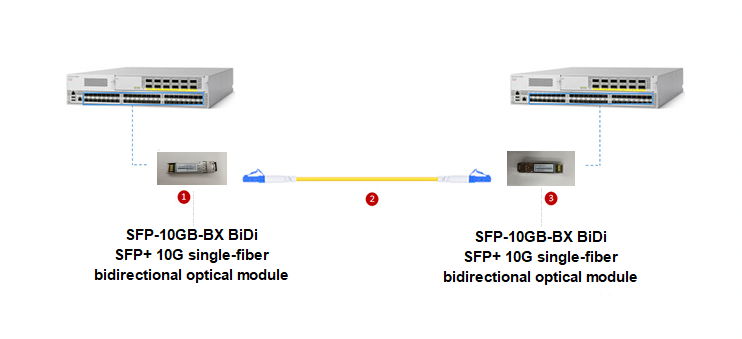
Solution 2: Connect the BIDI SFP+ 10-Gigabit single-fiber bidirectional optical module to the switches
Insert the optical modules into the SFP+ ports on the two switches, and then connect the optical modules to the two switches using the LC optical fiber jumper corresponding to the optical module connection port.
This connection method effectively realizes the most simple and economical data connection, and can be applied to the Ethernet connection of data center, enterprise cabling and telecom operation transmission.
Solution 3: Connection between CWDM SFP+ 10G optical modules and switches
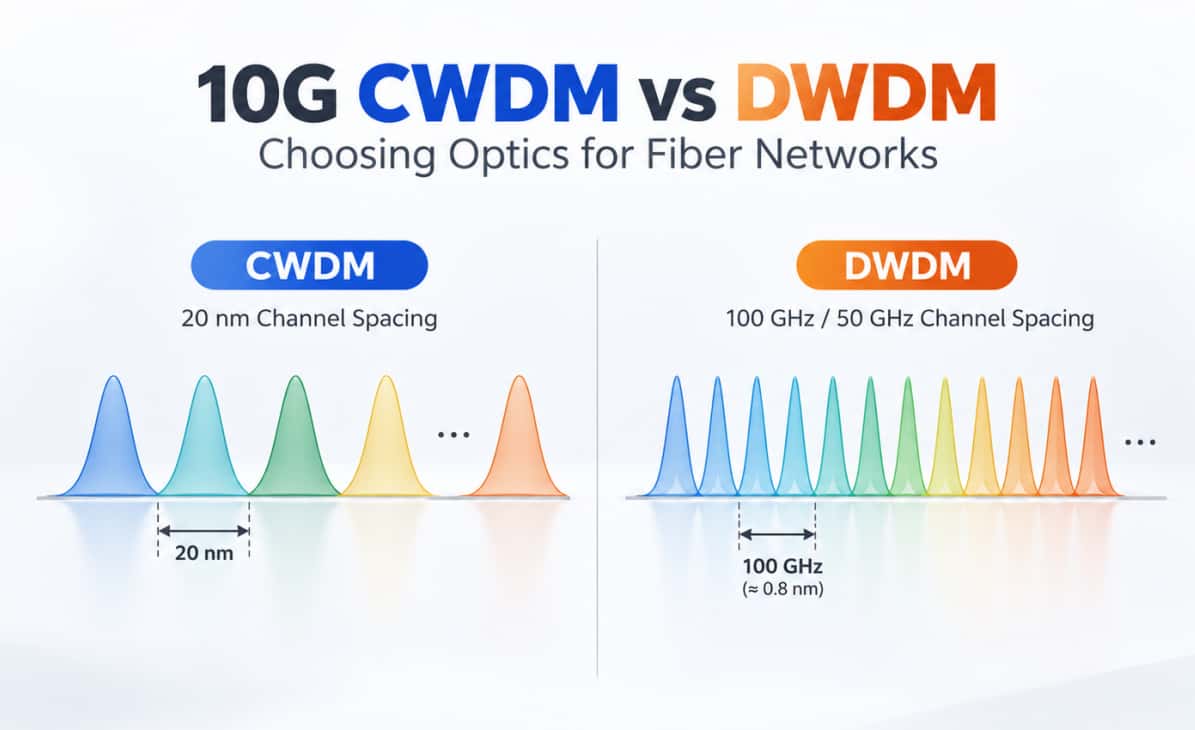
The connection mode utilizes a trunk box, an optical fiber transceiver, and a CWDM (coarse wavelength division multiplexer) to connect the optical module to the switch. This mode facilitates the conversion of the RJ45 electrical port on a 10G ten-gigabit Ethernet switch to the CWDM wavelength, which is essential for the CWDM coarse wavelength division multiplexer.

Solution 4: DWDM SFP+ 10-Gigabit optical module and switch connection
Insert the optical module into the SFP+ port of the switch, and then connect it to the DWDM dense wavelength Division multiplexer using armored optical fiber jumpers.
The connection mode realizes the protection of optical signal in long-distance transmission, can reduce the optical wave loss to the greatest extent, and is suitable for long-distance optical signal transmission.

二、Precautions when connecting SFP+ optical modules to switches
1. Pay attention to whether the wavelength and transmission distance of the optical modules used by the switches at both ends are the same, as well as the problem of single-fiber dual-fiber, single-mode multi-mode, if the two ends are not equal, the corresponding converter should be used;
2, the optical module in use to avoid static electricity and bump, if there is bump, it is not recommended to continue to use the optical module;
3, pay attention to the positive and negative insert of the optical module, pull ring and label should face up;
4, when inserting the optical module into the switch, push it to the bottom as hard as possible, generally there will be a slight vibration feeling, after inserting, gently pull the optical module to check whether it is installed in place;
5. When removing the optical module, pull the wristband to a position 90° from the optical port, and then pull out the optical module.
2, the optical module in use to avoid static electricity and bump, if there is bump, it is not recommended to continue to use the optical module;
3, pay attention to the positive and negative insert of the optical module, pull ring and label should face up;
4, when inserting the optical module into the switch, push it to the bottom as hard as possible, generally there will be a slight vibration feeling, after inserting, gently pull the optical module to check whether it is installed in place;
5. When removing the optical module, pull the wristband to a position 90° from the optical port, and then pull out the optical module.
Statement: Quality content is to share with you, some articles from the network, if there is infringement please inform us, we will deal with it in the first time.
HCH Releases Technical Guide: Fiber Connector Types Explained – LC, SC, MPO & More
Related Article

Understand Forward Error Correction (FEC), common Ethernet FEC modes, and how to troubleshoot FEC-related link failures in 100G, 200G, and 400G optical networks.
What Is FEC in Optical Networking, and Why Does It Matter?

Learn where 200G QSFP56 optical transceivers are used, from data center switch connections and HPC networks to 100G upgrades, with practical guidance on fiber selection and compatibility.
200G QSFP56 Optical Transceivers: Where Are They Used?