Optical Module Troubleshooting: When It's Not the Cable
author: Jane
2026-03-16
In our previous guide, we tackled fiber patch cable issues. But what if the cable tests perfect and the link is still down? The culprit might be sitting right in the port—the optical module itself. Even minor module abnormalities can disrupt network stability. Here are the 5 most common optical module failures—and how to fix them fast.
1. Compatibility Issues – It Fits, But Won’t Work
Symptoms:
-
Module recognized but no link established
-
Error messages like "Unsupported Transceiver" or "Firmware Incompatible"
-
Poor speed/stability despite correct cabling
Causes: Most mainstream manufacturers (Cisco, Huawei, HPE) restrict third-party modules via firmware verification, even if form factors (SFP+, QSFP28) match.
Solutions:
-
Choose HCH compatible modules tested for mainstream switches, no extra debugging
-
Enable "Third-Party Transceiver Support" in device settings if available
-
Check module-device compatibility before ordering
HCH Tip: Our modules guarantee OEM compatibility. Contact us for model matching if unsure.
2. Overheating – Module Overheating Causes Link Fluctuations
Symptoms:
-
Intermittent link drops under high load
-
High temperature warnings in device logs
-
Poor performance in hot/poorly ventilated rooms
Causes: Overheating occurs due to poor ventilation, dense module stacking, or ambient temperatures beyond the module’s operating range, triggering protection and signal loss.
Solutions:
-
Optimize cabinet layout, keep ventilation holes clear
-
Use industrial wide-temperature modules (-40°C to 85°C) for harsh environments
-
Distribute high-power modules to disperse heat
HCH Tip: HCH low-power modules reduce heat by 30%, ideal for long-term high-load use.
3. Exceeding Power Budget – Too Far, Insufficient Signal
Symptoms:
-
No stable link beyond the module’s marked transmission distance
-
Receiver power below sensitivity threshold
-
Increased signal loss with longer distance
Causes: Each module has a fixed transmission distance (e.g., 10km for 10G LR). Exceeding this or extra link loss (dirty connectors, bad splices) weakens signals.
Solutions:
-
Upgrade to a longer-reach module (e.g., 10km LR to 40km ER)
-
Add EDFAs for ultra-long-haul links
-
Clean connectors and fix bad splices to reduce loss
HCH Tip: Check HCH datasheets for power budget specs to match your link needs.
4. Firmware/Driver Corruption – Module "Disconnects"
Symptoms:
-
Module not recognized by the host
-
Link fails after host reboot
-
Communication error codes in logs
Causes: Corrupted firmware, outdated drivers, or incompatibility prevent normal module initialization and communication.
Solutions:
-
Update host firmware and drivers
-
Re-seat the module for better contact
-
Choose HCH modules with field-upgradable firmware
HCH Tip: Our technical team helps with firmware updates and troubleshooting.
5. Physical Damage – External Force Causes Failure
Symptoms:
-
Module won’t lock into the port or falls out easily
-
No link despite correct installation
-
Visible cracks or bent pins
Causes: Rough handling (forced insertion, dropping), wrong port insertion, or ESD damage internal components.
Solutions:
-
Check for damage before installation
-
Replace damaged modules immediately; do not repair bent pins
-
Use anti-static wristbands during operation
HCH Tip: HCH modules come with anti-static protection and 100% pre-delivery physical inspection.
Quick Troubleshooting Checklist
| Problem | First Check | Action |
| No link, unrecognized module | Compatibility/contact | Verify compatibility, re-seat module |
| Intermittent drops under load | Overheating/ventilation | Improve ventilation, disperse heat |
| Long-distance link failure | Transmission distance/link loss | Upgrade module, reduce loss |
| Communication errors/reboot failure | Outdated firmware | Update firmware, re-initialize |
| Visible damage/unable to lock | Module condition | Replace damaged module |
How HCH Can Help
-
Full module range: SFP, SFP+, QSFP28, QSFP-DD (1G-800G), single/multimode
-
Strict quality control: 100% performance and physical testing
-
Professional support: selection, compatibility check, troubleshooting
Summary
After ruling out cable issues, focus on these 5 module failures: compatibility, overheating, power budget, firmware/driver corruption, physical damage. HCH optical modules and support help resolve issues quickly and ensure network stability.
HCH Interprets 2026 Optical Communication Trends: AI Drives 400G/800G Popularization
Genuine vs. Used Optical Transceivers: A Rational Choice for Procurement
Related Article
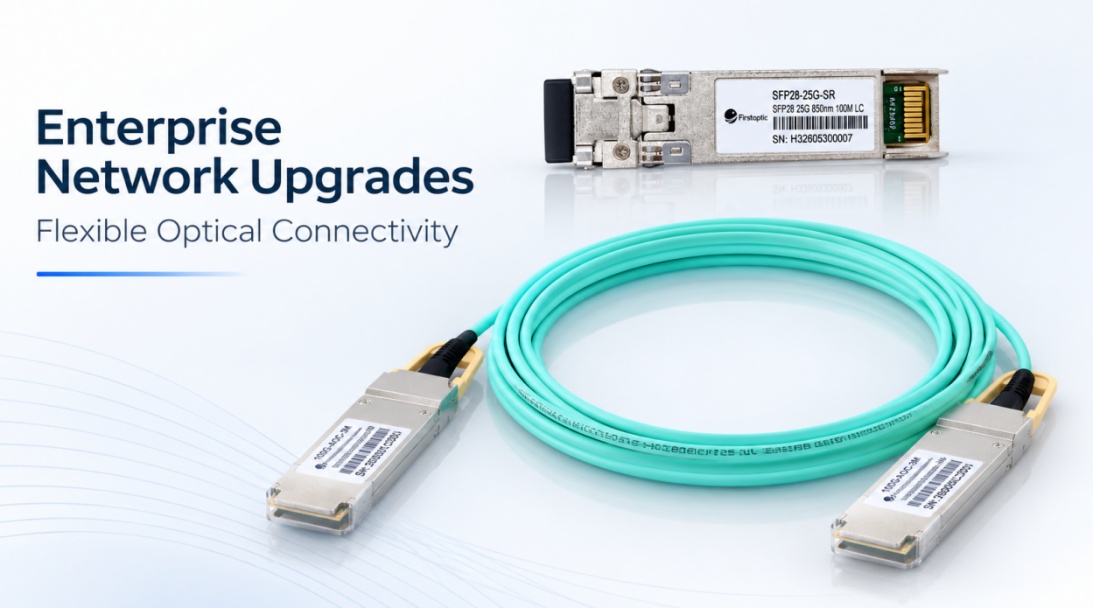
HCH provides flexible optical connectivity solutions to support enterprise network upgrades, including SFP, SFP28, QSFP28, AOC, and DAC solutions for different network requirements.
HCH Supports Enterprise Network Upgrades with Flexible Optical Connectivity Solutions
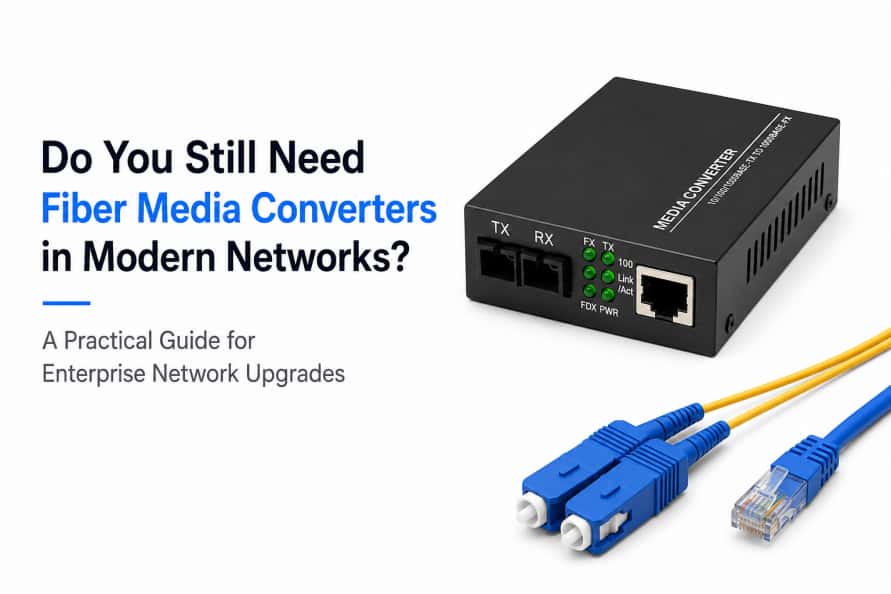
Learn why fiber media converters are still widely used in modern networks, when they are the right choice, and how they compare with fiber switches.
Do You Still Need Fiber Media Converters in Modern Networks?